Beam-splitter glass costs light, and the reflection has to be controlled · review
Elgato Prompter, with its own built-in screen review
Two hundred and forty-eight euros for the only prompter here with its own screen — driven from a desktop, showing a script or a live Twitch chat while you look down the lens.
The bottom line The only prompter here that brings its own screen, driven from a desktop with Camera Hub and Stream Deck, showing a script or a live chat straight under the lens — 248 €. It never names its glass, publishes no split ratio, describes no mount and needs DisplayLink on Mac and Android.
On the listing
Five bullets. An integrated display, so no additional tablet or smartphone screens are required; use for any purpose — reading Twitch chat messages or scripts while looking at the camera; face-to-face professional eye contact during Zoom or Teams calls; wide compatibility and customisation, supporting more cameras than any other and even the widest lenses, including the Camera Hub app to adjust how text and chat appear, with DisplayLink software required on Mac and DisplayLink Presenter on Android, both free downloads; and simple desktop-controlled setup with no complicated installation — connect the camera, plug in, use a PC or Mac, no third-party mobile app, and it works with Stream Deck.
Its own screen, which is the whole product
Three prompters on this shelf are empty frames. They need a phone or an iPad, and that device is then occupied for the length of the shoot. This one is complete, and that is where the 139 € above the NEEWER goes.
A chat window, under the lens
A streamer reading chat on a side monitor is a streamer looking away. The same text below the barrel keeps the eyeline straight, and the second bullet names it before it names scripts.
Driven from the desktop, by design
No mobile app, deliberately. The computer that runs the stream runs the prompter, and Stream Deck already sits beside it.
DisplayLink, on Mac and Android
Free, and still a driver. A hardware purchase with a software dependency is one to keep an eye on across operating-system updates.
What two hundred and forty-eight euros never names
The glass. No splitter, no coating, no ratio — and no mount, no weight, no dimensions. The 109 € NEEWER on this shelf publishes 75 per cent transmission and an adjustable aperture.
Availability
Between 248 € and 300 € on the German, French, Italian and Spanish Amazon stores when this page was last checked.
The American and British Amazon stores carry it too, priced in local currency. Those amounts are deliberately absent from the range above, which reads euro stores only.
Everything in this section is the figure Keepa carried on the day of the last update to this page. Availability and prices shift without notice.
Prices quoted in this text were read on 13 September 2026. The live price is at the top of the page.
What it does well, and what it gives up
Strengths
Its own display, so no tablet is tied up and nothing has to be mounted
Reads a live Twitch chat or a script while the eyes stay on the lens
Desktop-driven, with Camera Hub and Stream Deck integration
Compromises
The glass is never named and no split ratio is published, at 248 €
Mac and Android both need extra DisplayLink software
No mounting arrangement, no weight and no dimensions in five bullets
Specifications
Glass type
NOT NAMED. Neither beam splitter nor mirror appears on the page, and no coating is described — on the dearest prompter on this shelf. The 109 € NEEWER names its splitter and publishes 75 per cent
Stated ratio
NOT PUBLISHED, as on three of the four prompters here. With a built-in display the light loss is still real: whatever the glass passes to the sensor is what the exposure has to work with
Device sizes accommodated
Not applicable, and that is the whole product: the first bullet says no additional tablet or smartphone display is required. Three prompters on this shelf are frames waiting for a device; this one arrives complete, which is what the extra 139 € buys
Lens opening
Described by claim rather than dimension: the third bullet says it supports more cameras than any other, even the widest lenses. No diameter and no adapter rings are given, where the 109 € Desview supplies rings from 49 to 82 mm
Hood design
Not described
Mounting arrangement
Not described anywhere in five bullets — no thread, no clamp, no plate, on a unit that has to sit in front of a lens and hold its own screen
Assembly
Simple setup, in the fifth bullet: connect the camera, plug in, and drive it from a PC or Mac. No weight, no dimensions and no folded size are published
Software
The deepest integration here, and the most conditions. The Camera Hub app customises how text and chat appear; it works with Stream Deck; there is deliberately NO third-party mobile app, because a desktop drives it. Mac needs free DisplayLink software, Android needs free DisplayLink Presenter — both stated in the third bullet
Amazon reference
B0CH3P9K1X (same reference on 6 Amazon marketplaces)
EAN
0840006669937
What people ask before they commit
What does a built-in screen actually solve?
It stops a tablet being consumed. On the three other prompters here, the script device is a phone or an iPad that then cannot take a call, run a timer or show a shot list. This one is its own display, driven by the computer already on the desk — and the first bullet puts it in one line: no additional tablet or smartphone required.
Why does it read a Twitch chat?
Because that is what a streamer looks away from. The second bullet names chat messages alongside scripts, and the point is the eyeline: a chat window on a monitor beside the camera pulls the gaze off-axis, while the same window under the lens keeps it straight down the barrel. The same argument covers Zoom and Teams, which the third bullet names.
What is the DisplayLink requirement?
A driver, and a condition worth knowing before buying. The third bullet says Mac needs DisplayLink software and Android needs DisplayLink Presenter, both free. On Windows nothing extra is named. It is a software dependency on a piece of hardware, which means a future operating system update is something to watch.
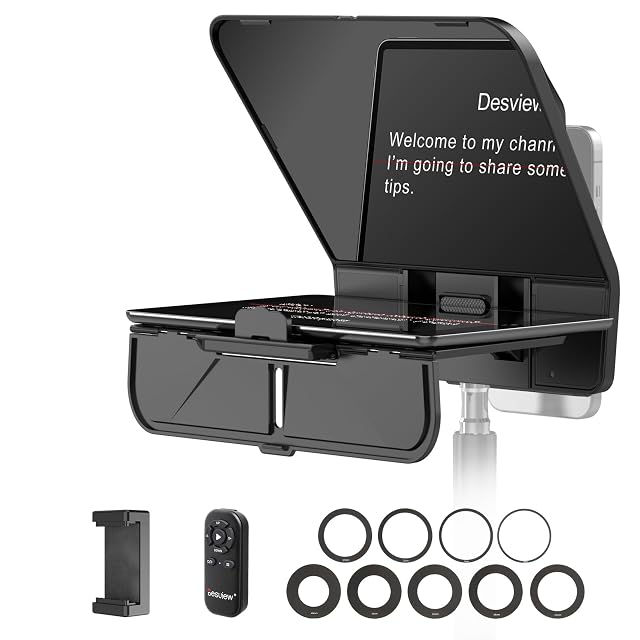
HD-COATED anti-glare glass, described as anti-reflective, with NO split ratio published · smartphones, tablets to 11 INCHES and DSLR cameras · ADAPTER RINGS SUPPLIED for lens threads from 49 to 82 mm · hood not described · tool-free adjustable mount, switching between landscape and portrait · BLUETOOTH REMOTE for play, pause, speed, page turn and power · free Desview app for iOS and Android · one-year warranty with lifetime technical support
Adapter rings for every lens thread from 49 to 82 mm, an 11-inch tablet capacity and a Bluetooth remote — the prompter that fits whatever is already in the bag.
Best for: A bag with several lenses and a full-size tablet, shooting both landscape and vertical.
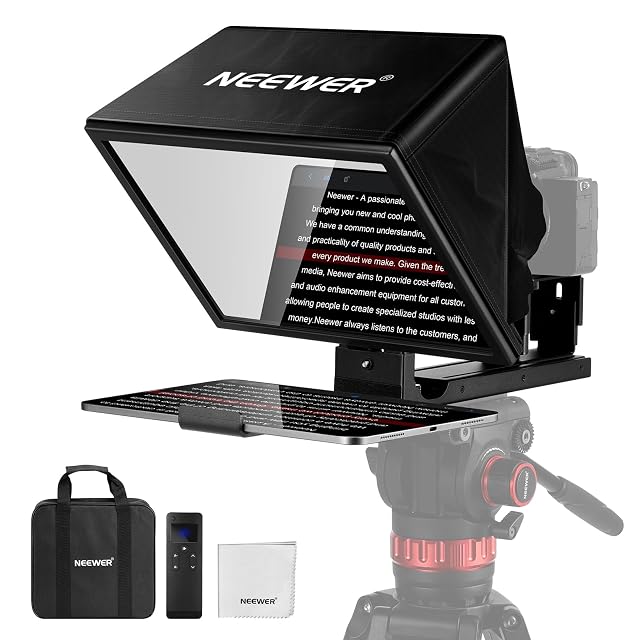
A BEAM SPLITTER with a special coating and a PUBLISHED 75 PER CENT LIGHT TRANSMISSION — the only ratio figure on this shelf · 12 inches, for tablets and cameras, text readable to 10 ft / 3 m · an ADJUSTABLE APERTURE that reduces glare · a flip-up platform keeping the lens centred · aluminium alloy, folds flat into a rigid carry case · the RT113 remote plus the NEEWER Teleprompter app for iOS 11 and Android 6 or later, controlling play, pause, scroll speed, page turns and font size · AAA battery NOT included · THE PAGE STATES TWICE THAT IT IS NOT SUITABLE FOR SHOOTING WITH A SMARTPHONE, and not for use as a monitor or for self-view
The only prompter on this shelf that publishes its mirror — 75 per cent transmission on a 12-inch beam splitter — and the only one that twice states what it cannot do.
Best for: A tablet and a camera on a tripod, for courses and tutorials, where the mirror’s light loss has to be known in advance.
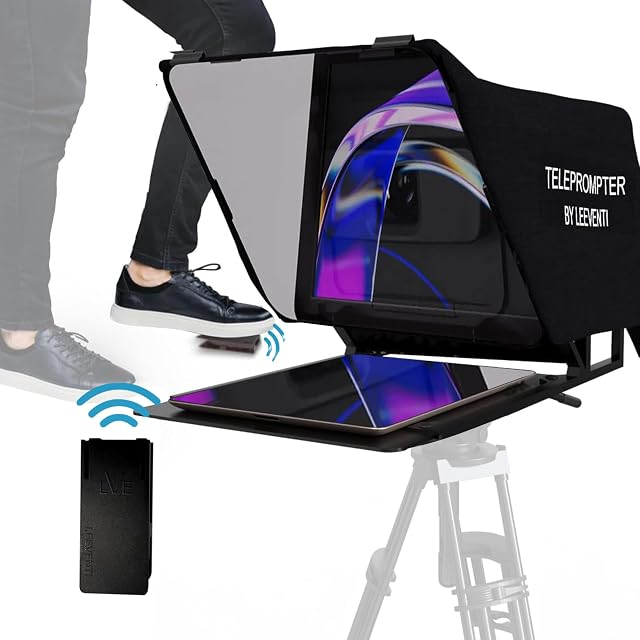
A REFLECTION SCREEN of 28 by 19 cm, called a TV-studio size · no split ratio published · takes smartphones, tablets, still cameras and video cameras · lens opening not dimensioned · hood not described · fits all tripods, per the third bullet · aluminium, 600 g · text readable at 2 to 3 m · a FOOT PEDAL remote plus the Leeventi "voice-teleprompter" software with a ONE-YEAR LICENCE
Thirty-five euros for a 28 by 19 cm aluminium prompter at 600 g, with a foot pedal and a one-year software licence — and no split ratio anywhere on the page.
Best for: A tripod-mounted phone or camera where a foot pedal matters more than a published mirror specification.